Combat guide
Pre-releaseLock on, circle, dodge, repeat
Littlelands combat is approachable, but the demo boss still punishes careless spacing. Here is the confirmed system, a practical fight loop, and what we will not pretend to know.
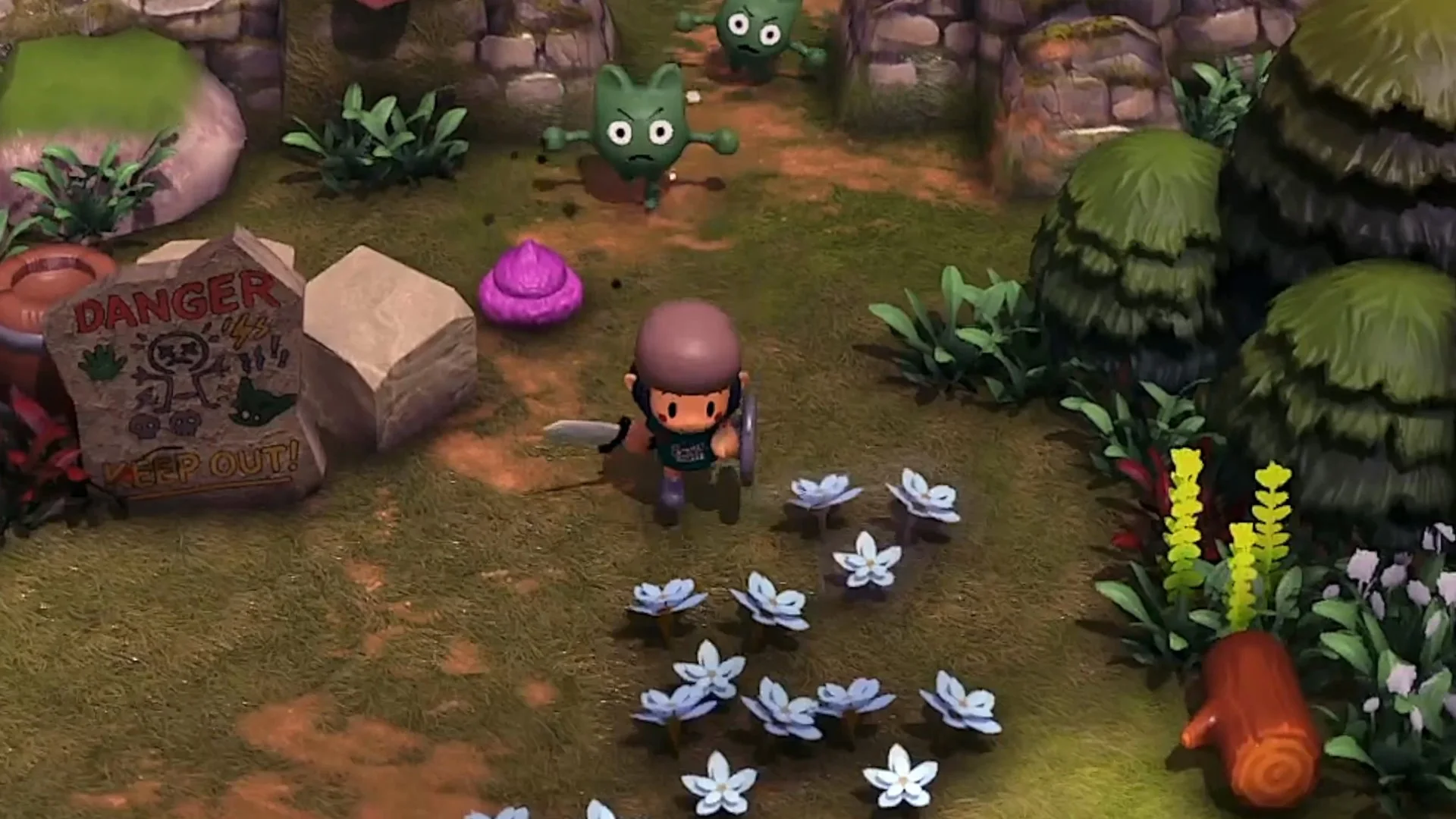
What changed in October
The updated demo added lock-on targeting, the ability to circle a target, and dodging. The official press release explicitly recommends testing the new system against the Goblin Boss.
The confirmed basics
- Weapon: a sword. A hands-on preview says you start with a stick and later get a sword. Screenshots also show a shield, but blocking and parrying are not documented.
- Defence: dodging. The October update added a dodge, and Apogee’s description focuses on avoiding incoming attacks.
- Targeting: lock-on. You can lock onto an enemy and circle it.
- Recovery: pottery jars can contain health and gems, according to a hands-on preview.
- Death: a preview reports that losing a fight returns you to your last save. Save before a boss.
- Difficulty: no difficulty options have been announced. Do not assume a story mode exists.
A practical combat loop
Step 01
Lock on
Use the lock-on system added in October to keep the camera and your character oriented toward one enemy.
Step 02
Read the wind-up
Watch the enemy’s telegraph rather than mashing. The official description emphasizes dodging incoming attacks.
Step 03
Circle
Apogee specifically mentions circling your target. Strafe around the enemy to create space and avoid standing in its face.
Step 04
Dodge
Dodge on the attack, not before it. The dodge is the main defensive tool discussed in official material.
Step 05
Punish
After the attack whiffs, step back in for a short sword hit. Do not overcommit to a long combo you cannot cancel.
Step 06
Reset
Break away, regain spacing, and repeat. If health is low, break a jar or retreat to a safe area.
The Goblin Boss plan
The Goblin Boss is the demo’s boss. Apogee names it directly and uses it as the showcase for the reworked combat. ↗ A hands-on preview notes that the boss did not show a health bar at the time, so you cannot rely on a visible bar to judge how close the fight is. ↗
- Save first. A preview reports returning to the last save after death. Do not lose a long exploration run to a boss attempt.
- Top up health. Break jars before you enter the arena if you are not full.
- Lock on immediately. Keeping the boss framed makes its wind-up easier to read.
- Circle, do not backpedal. Backing straight away can pin you against terrain. Strafe around the arena.
- Dodge through or away from the attack. Pick one direction and commit; panic-dodging early leaves you exposed.
- Take one or two safe hits. The fight is not a damage race. Reset spacing after your punish.
- If you die, change one thing. Try a wider circle, a later dodge, or more health before re-entering.
No health bar does not mean no feedback
Even without a visible boss bar in the demo build, the fight still gives visual and audio feedback. Watch the boss’s animation and your own health, not a number that is not there.
Who you fight
The demo has seven enemy types. Only a few are named in official material: Goblinettes, the Goblin Boss, bats and skeletons. Do not expect a complete bestiary; Apogee has not published the rest.
What if you do not enjoy combat?
The official pitch explicitly supports staying in safe areas to farm, fish, cook and decorate. But the demo includes a boss, and some areas are dangerous by design. There is no confirmed difficulty toggle or combat-skip option. If you want a purely cozy game, the demo is the right place to test whether the balance works for you.
The safe/cozy side is covered in the cozy activities guide. If you are stuck on the boss, the walkthrough covers the route and the save advice.
Sources & verification
Checked 2026-11-09Every claim on this page is traced to an official source, a named trade report, or a labeled hands-on preview. Pre-release details can change.
- Cozy Adventure Littlelands Launches into Steam Early Access November 16! Official
- Littlelands on Steam Official
- Heading Out to Into the Adorable World in Littlelands Demo Hands-on
- Littlelands Demo Impressions Hands-on
- A Sneak Peak Into Littlelands Official
Hands-on sources are third-party previews quoted for observation. This site has not independently playtested the game.